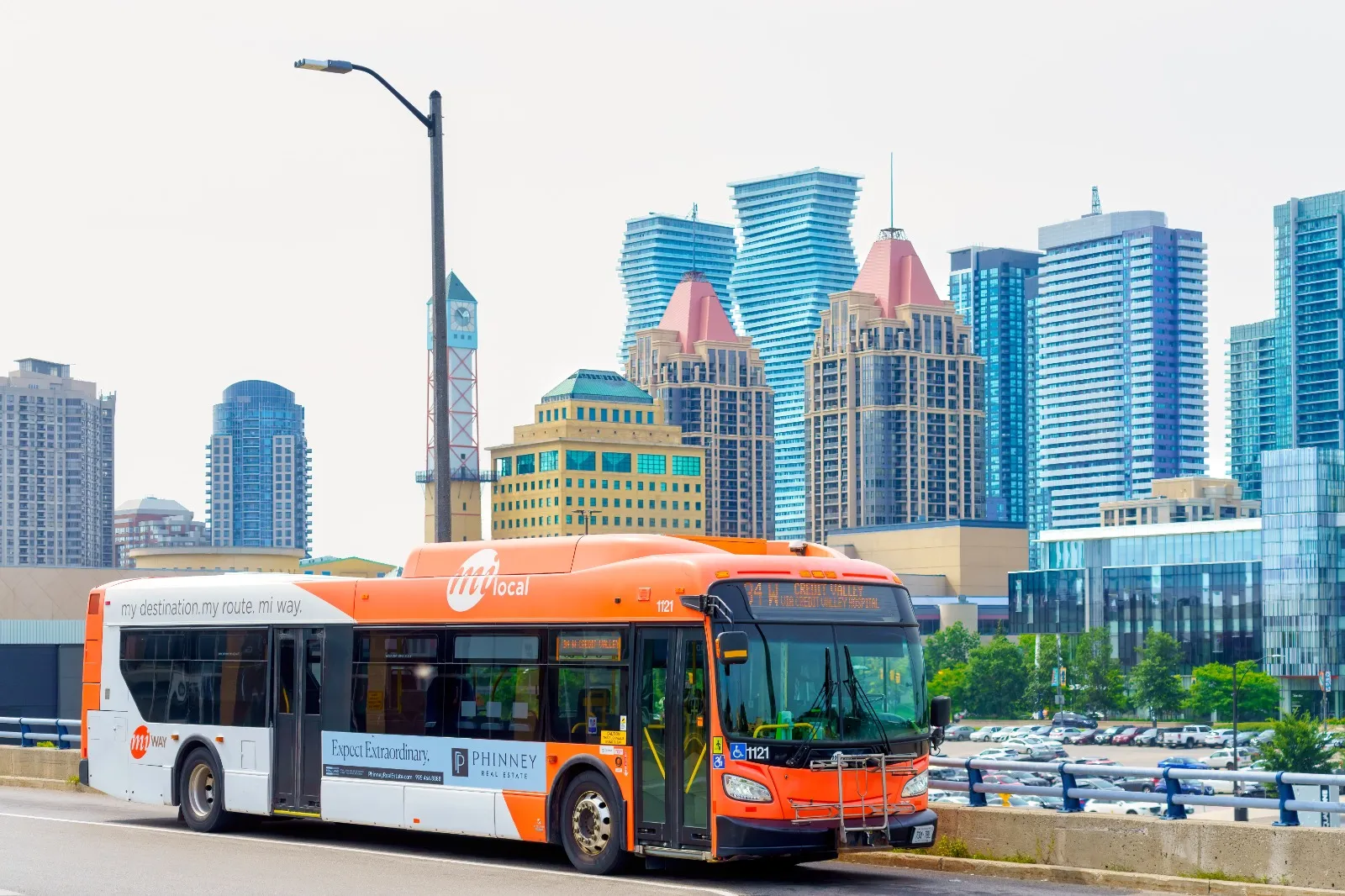
Digital U-Pass
Load your term U-Pass onto a registered PRESTO card with a unique voucher code, then tap when boarding MiWay.
Fall U-Pass
September 1 – December 31
Winter U-Pass
January 1 – April 30
Summer U-Pass
May 1 – August 31
About the program
Your U-Pass is now a PRESTO voucher
UTMSU, in partnership with UTM, MiWay, and PRESTO, provides eligible students with unlimited fare-free rides on all MiWay buses. The U-Pass is loaded onto a registered PRESTO card by redeeming a unique voucher code each academic term.
The PRESTO E-Tickets app is no longer used for the U-Pass. Your U-Pass also comes with MiWay’s two-hour transfer window, and thanks to Ontario’s One Fare program, that window now extends to other GTHA transit agencies like the TTC, as long as your trip starts on MiWay.
Before you redeem your voucher
Do not redeem the code to a mobile-wallet PRESTO card unless your phone supports NFC and NFC is enabled. If it does not, use a physical PRESTO card or visit the Student Centre infoBooth for help. Voucher codes are issued once per term and cannot be redeemed again on another card.
Tap to board
Use your PRESTO card in Apple or Google Wallet, or redeem the voucher to a registered physical PRESTO card.
Two-hour transfers
Start your trip on MiWay to receive an eligible two-hour transfer to participating local transit systems. GO Transit transfers are not included with the U-Pass.
Eligibility
Who can receive a U-Pass?
Your pass is available only for a term in which you are enrolled and have been charged the U-Pass fee on your ACORN invoice.
You must:
- Be enrolled for the term as an eligible UTM undergraduate, MAM, or graduate student.
- Have paid or deferred the minimum payment on ACORN at least three business days earlier.
- Have made no enrolment changes in the previous three business days.
- Have a valid TCard and an active @mail.utoronto.ca address recorded in ACORN.
Important exceptions
- Outgoing exchange students are not eligible.
- Students in the MMPA and MFAC graduate programs are not eligible.
- PEY students should email upass@utmsu.ca to confirm eligibility.
- Carry your TCard whenever you travel. Transit enforcement may ask to see student identification.
Getting started
How to receive your Digital U-Pass
Complete these steps each term. If you already have a registered PRESTO account, you do not need to create another one.
STEP 1
Create a PRESTO account
Create an account in the PRESTO app or on the website.
STEP 2
Choose and register your PRESTO card
Add a digital card to Apple Wallet or Google Wallet on an NFC-compatible phone or register a physical PRESTO card to your account. Unregistered cards are not eligible for a MiWay U-Pass.
STEP 3
Redeem your voucher
Open the voucher portal, sign in with your UTorID, reveal the unique code, and redeem it on the registered card you plan to use. For instructions on redeeming a voucher in the PRESTO app or online, visit the PRESTO Vouchers page.
Your U-Pass is ready to use as soon as it’s redeemed, whether it’s in a mobile wallet or on a physical PRESTO card. The pass becomes valid on the first day of its academic term.
Watch and follow along
PRESTO video guides
Learn how to register, set up your card in a digital wallet, redeem a voucher code, and report a lost card.
How to register for PRESTO
Set up your PRESTO card in Google Wallet
Set up your PRESTO card in Apple Wallet
How to redeem a voucher code
Report and replace a lost card
U-Pass policy
Your pass is for your use only
U-Passes must not be shared, transferred, sold, altered, or forged. Misuse can lead to fines, removal from the program, or suspension of the PRESTO card or account and its other products.
Each eligible student receives one unique voucher code per academic term. If there is a validity dispute while travelling, pay the regular fare and contact UTMSU.
Need help?
Frequently asked questions
How do I receive my unique voucher code?+
Sign in to the U-Pass Voucher Portal with your UTorID, accept the terms and conditions, and reveal your code. If you recently paid or changed your enrolment, allow at least three business days for ACORN to update your eligibility.
Do I need to load funds onto a new digital PRESTO card?+
Usually, yes. A card added directly through Apple or Google Wallet requires a minimum $1.00 load. A card added through the PRESTO app requires a minimum $0.05 load. A payment method may also be required in your mobile wallet.
Can I use an existing or physical PRESTO card?+
Yes. Redeem your voucher on an existing registered physical or digital PRESTO card. Your pass is ready to use right after redemption, no waiting period required. The pass becomes valid on the first day of its academic term.
What if my phone does not support NFC?+
Do not redeem the voucher to a mobile-wallet card. Register and use a physical PRESTO card instead. Cards are available at the Student Centre infoBooth, participating Shoppers Drug Mart locations, and PRESTO customer service outlets.
Can I convert a physical PRESTO card to a digital card?+
Yes, if your device supports PRESTO in Apple or Google Wallet. The conversion cannot be reversed, so confirm that your phone supports NFC before converting the card.
What if my physical card is lost or damaged?+
Sign in to your registered PRESTO account or contact PRESTO to cancel the card and transfer its balance and products. Do not redeem the voucher again—the voucher can only be redeemed once.
Can I transfer to other transit systems?+
With the U-Pass, starting your trip on MiWay gives you a free two-hour transfer to participating systems such as the TTC, Brampton Transit, and Oakville Transit. GO Transit transfers are not included with the U-Pass. If you also keep funds loaded on your card, transfers to and from GO Transit follow Ontario’s One Fare rules when your trip doesn’t start on MiWay.
Can I opt out of the U-Pass fee?+
No. The U-Pass is a mandatory incidental fee for eligible UTM students under the program agreement with MiWay, and the program does not provide an opt-out or exception.
What happens if my phone runs out of battery?+
You must be able to present and tap a valid U-Pass when boarding. If your phone can’t display it, pay with cash, or tap a physical credit or debit card, or a physical PRESTO card if you have one.
Still having trouble? Email UTMSU, visit the infoBooth, or contact PRESTO support.